
Skip to content
🖥️ Tech Essential Sale | Up to 50% Off
🚚 Express Free Delivery
US
Cart
Immersive Dual 4K

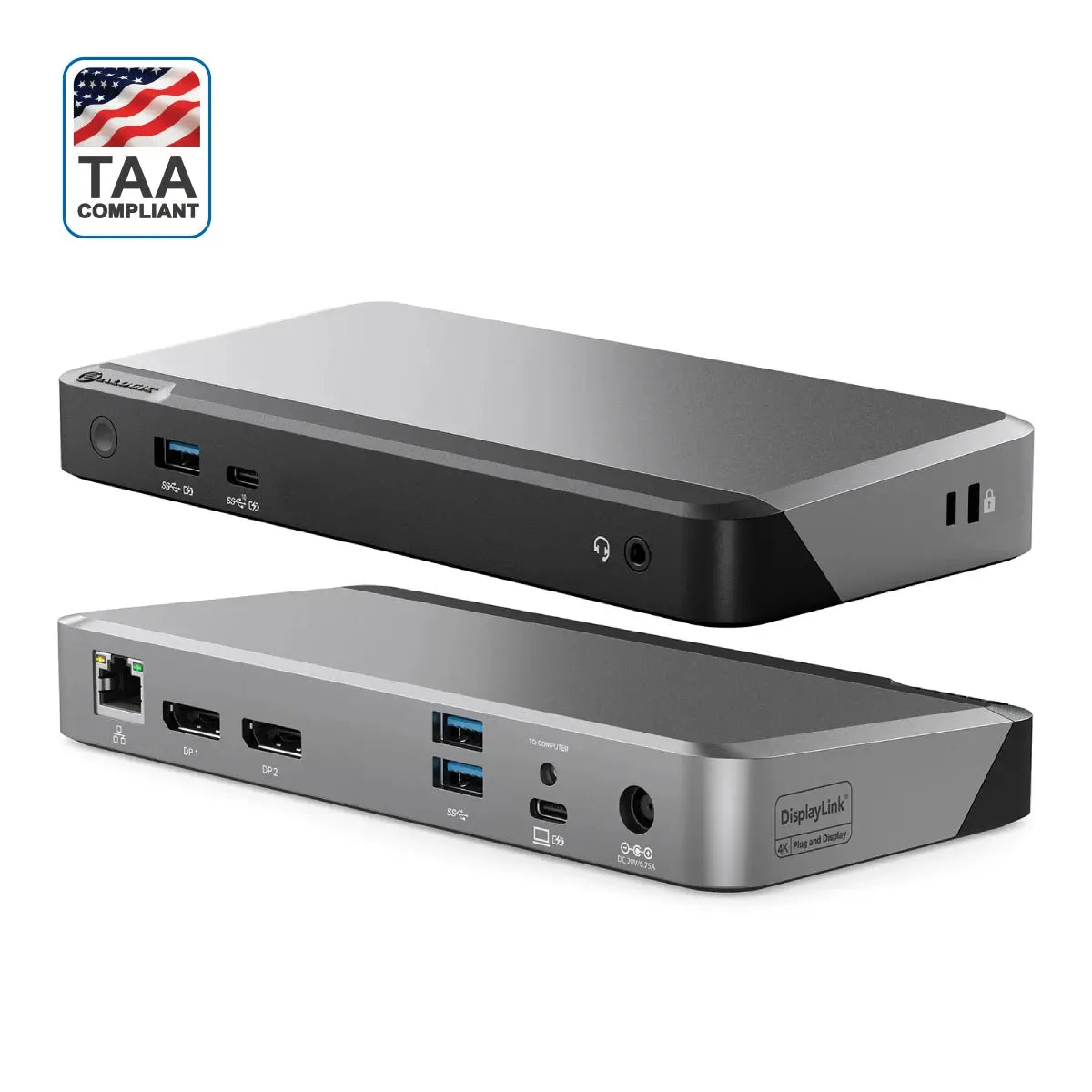
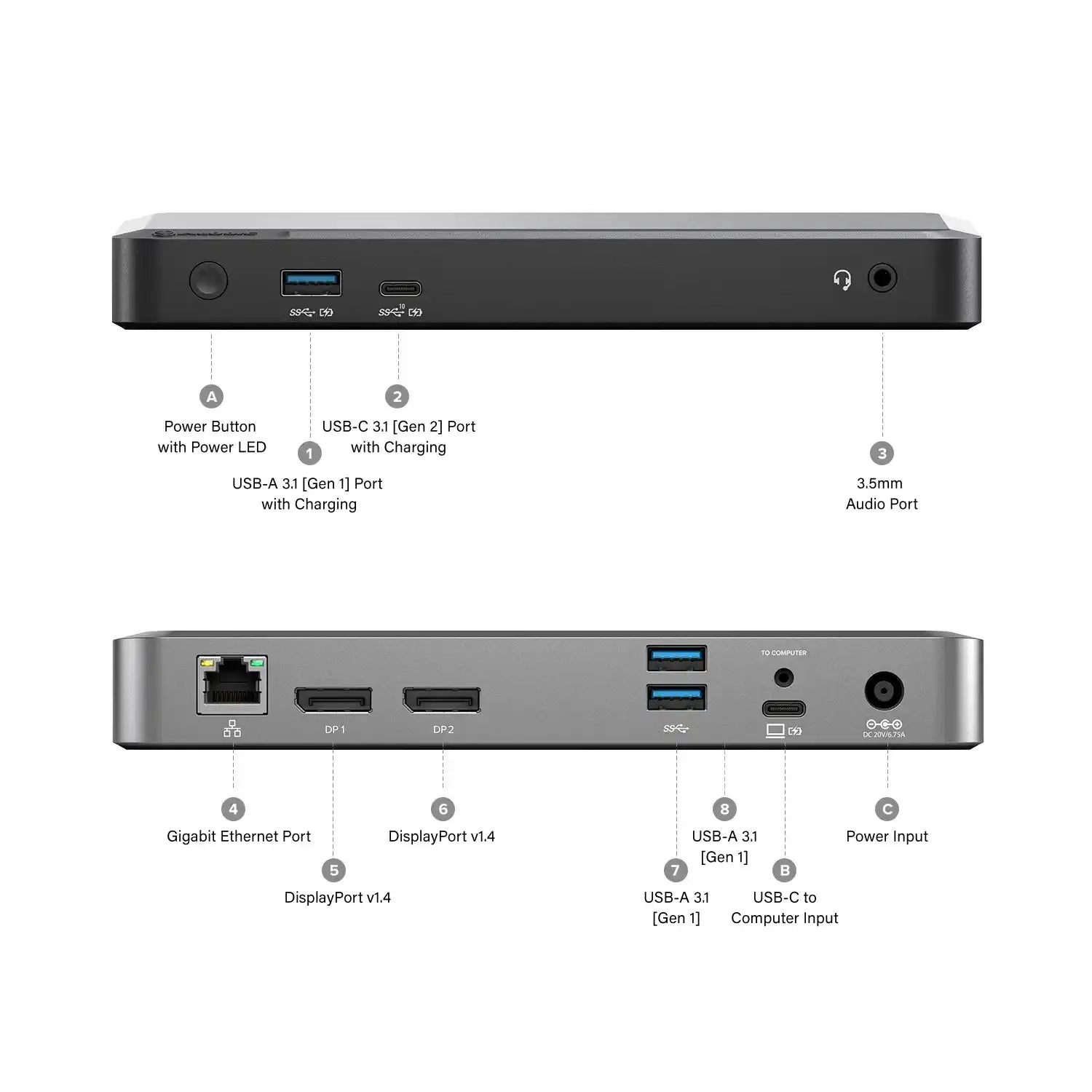
Sometimes you need more screen real estate. The DX2 can connect up to two external displays at up to 4K resolutions via its twin DisplayPort outputs. Whether you need to view big spreadsheets on multiple screens, compare designs, enter data or more, the DX2 is the perfect way to see more work on your screen, and do more work on your screen.

Keep your Laptop Charged

When you have a lot going on, so does the DX2. It fast-charges laptops with up to 100W of power, supports up to two displays, and delivers connectivity for standard peripherals including Ethernet, audio/microphone jack and USB accessories. All at the same time.

A Universal Dock

The DX2 docking station provides universal compatibility across Windows, Mac and Chromebook computers and laptops. Allowing modern USB-C equipped or older USB-A computers to be connected, this dock enables IT professionals and organisations to deploy the DX2 docking station as a single solution across all users. The DX2 dock helps remove clutter and can power hot desking arrangements in any workspace environment.

Frequently Asked Questions

General

What maximum video resolution does the ALOGIC DX2 docking station support?
The ALOGIC DX2 Docking Station supports dual 4K @ 60Hz external displays simultaneously through its twin DisplayPort 1.4 outputs, enabling high-resolution multi-monitor desktop setups across both Windows PCs and MacBooks.
Can I run dual extended 4K monitors on base M1, M2, and M3 MacBooks using the DX2 dock?
Yes. Base M1, M2, and M3 MacBooks natively limit external display output to a single screen over standard USB-C. Because the ALOGIC DX2 Dock utilizes integrated DisplayLink technology, installing the free DisplayLink driver enables base Apple Silicon MacBooks to drive two extended 4K @ 60Hz displays.
Does the ALOGIC DX2 dock come with a power supply, and how much power does it supply?
Yes. The ALOGIC DX2 includes a dedicated external power adapter that provides up to 100W Power Delivery (PD) over the host USB-C cable. This supplies sufficient power to fast-charge 13-inch, 14-inch, and 16-inch laptops (such as MacBook Pro, Dell XPS, Lenovo ThinkPad, and HP Spectre) while powering all connected peripherals.
Can I use the DX2 dock with older laptops that only have USB-A ports?
Yes. The dock includes a USB-C to USB-A adapter for legacy laptops. DisplayLink technology enables dual 4K display output and full port expansion over USB-A; however, host laptop charging via Power Delivery is not available over USB-A connections.
Do I need to install software or drivers to use the DX2 Docking Station?
Yes. To activate dual 4K display output across macOS, Windows, and ChromeOS, you must download and install the free Synaptics DisplayLink driver. Peripheral data ports, Ethernet, and audio jacks work without additional drivers.