

 US
US
 Canada
 UK
UK EU
EU AU
AU New Zealand
 Japan
Japan Singapore
 UAE
UAE India
India South Korea
DV3 Universal Triple Display Docking Station


DV3 Universal Triple Display Docking Station
Regular price
$129.99
Sale price
Regular price
$129.99
Couldn't load pickup availability
Specifications
Specifications
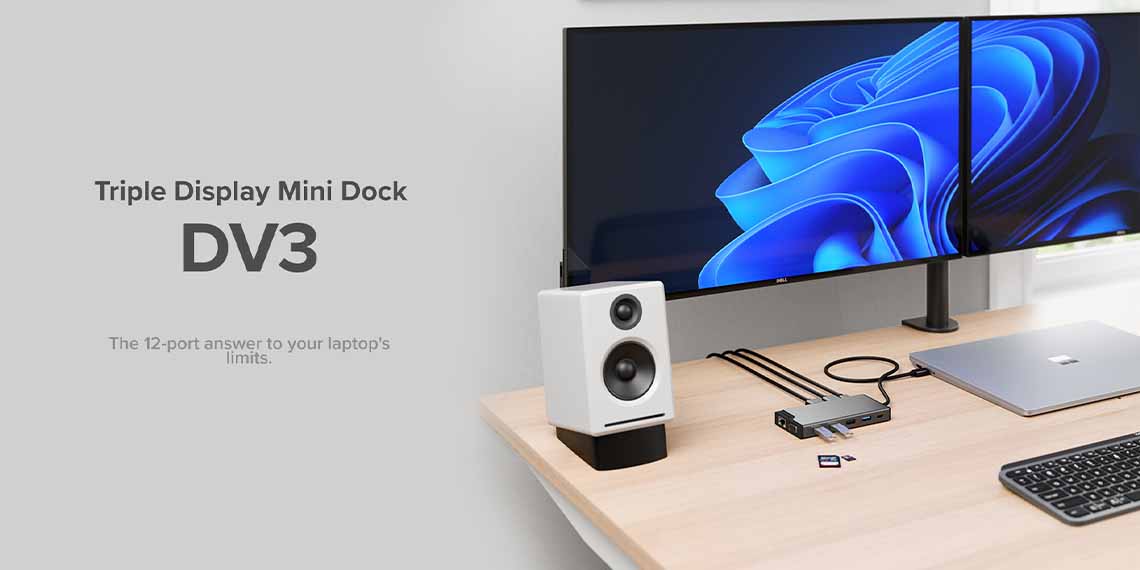
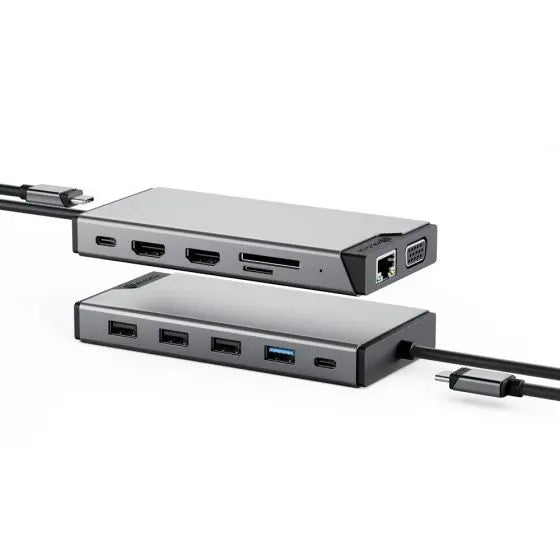
Our 12 Port USB Dock has all the ports you'll ever need
Connect with your most productive self with our DV3 triple monitor portable docking station. There's no need to choose between your devices, as our ultra-compact powered dock has plenty of ports for your phone, tablet, keyboard, mouse and the rest to connect simultaneously.
Reliable, high-speed Gigabit Ethernet ensures you'll never have an embarrassing disconnect during a meeting. With three display ports, our triple monitor docking station will give you more screen space than you know what to do with, while its integrated SD Card Reader saves you time after a long day with the camera.
Find the connections across triple Full HD displays
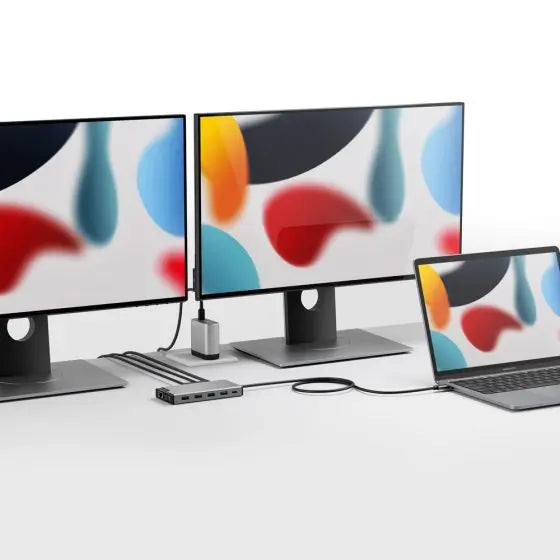
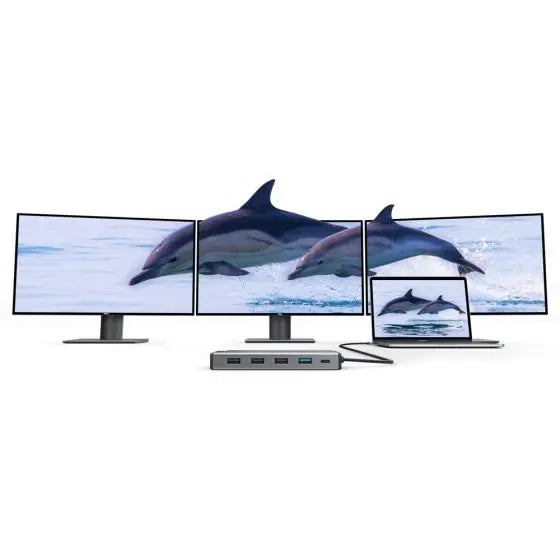
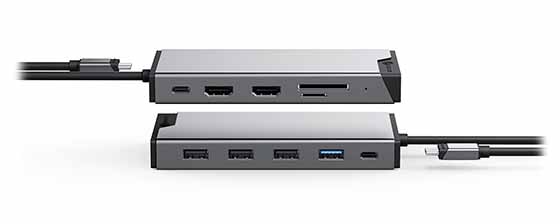
More Displays _ Less Toggling. The DV3 USB-C dock for laptop or desktop computers supports full HD displays [@60Hz]* on up to 3 monitors at once. With all that screen space, you can have the perfect setup for multitasking Ð all your documents, spreadsheets, research tabs, emails, chats - and still fit in a cheeky Instagram window.
*Refer to the Display Resolution Table in the product Specsheet available under downloads, for more details on the display capabilities of the DV3, based on the display ports you connect your triple monitors you connect to. Only one HDMI port supports DisplayLink technology, the other requires a DP-Alt Mode connection to function.
Works seamlessly with your laptop
Consider your compatibility headaches cured.
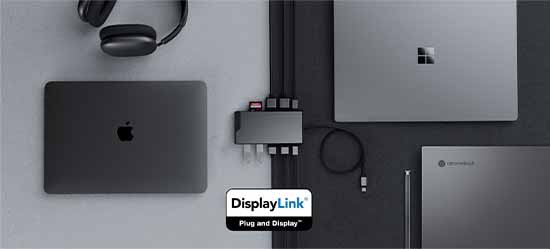
Our USB-C powered DV3 triple monitor docking station is compatible with all modern laptops. Plug in your Mac, Windows, or Chromebook device. Hot desk it at home or in the office. Our multi-port laptop hub has been designed for seamless connectivity with whatever system you're running.
When it's time to retire your old laptop, it only takes one plug from our DV3 multi-port USB hub to seamlessly reconnect you to all your favourite devices and 3 monitor display. We call that an act of conservation. You could call it an awesome return on investment.
The DV3's DisplayLink technology boosts your connectivity, power and productivity at work, all with a single connection. It's like magic.

Frequently Asked Questions
General
Do I require a power adapter to use this dock?
The DV3 is a compact docking station which doesn’t come with a power adapter. You can still use the dock even without the power adapter.
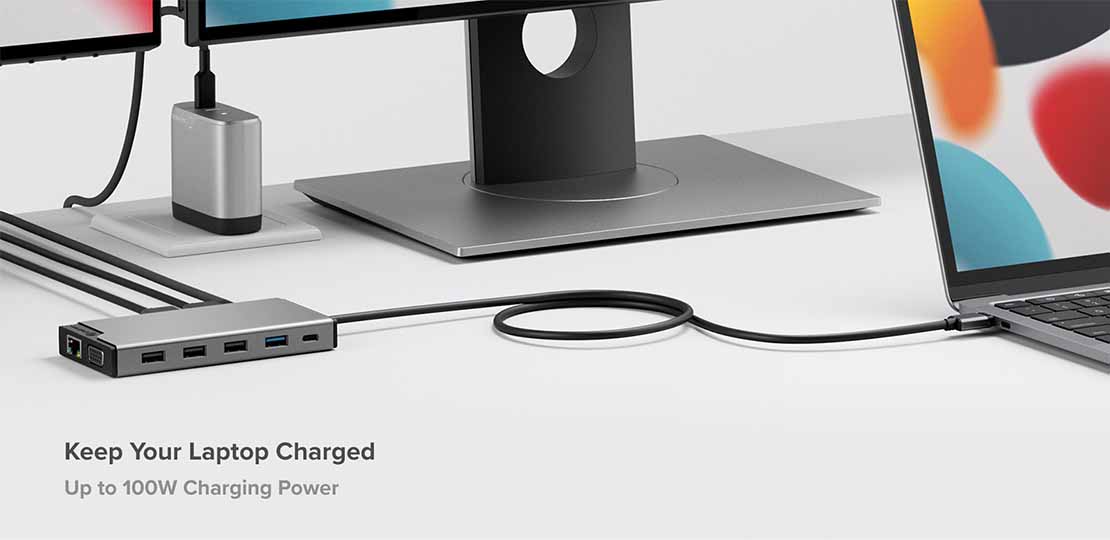
Connecting an external power adapter (up to 100W) via the PD port will allow for laptop charging when using this dock.
Connecting an external power adapter (up to 100W) via the PD port will allow for laptop charging when using this dock.
Does the DV3 require any additional software installation?
The DV3 is a DisplayLink enabled dock, we recommend installing the DisplayLink software which is free to download via: https://www.synaptics.com/products/displaylink-graphics/downloads
What laptops are compatible with the DV3?
The DV3 is compatible with Windows, MacBooks (even M1 MacBooks) and Chromebooks.
How many independent external displays can I connect using the ALOGIC DV3 dock?
The ALOGIC DV3 Docking Station supports up to two independent external displays at Full HD resolution (1920x1080 @ 60Hz). You can connect two HDMI monitors or one HDMI and one VGA monitor. If you plug in three displays simultaneously (2x HDMI + 1x VGA), the VGA port will mirror the video output of one of the HDMI ports.
Will the DV3 dock support multiple external monitors on base Apple M1, M2, and M3 MacBooks?
Yes. Standard M1, M2, and M3 MacBooks natively limit external monitor output to a single screen over USB-C. Because the ALOGIC DV3 is built with DisplayLink technology, installing the free DisplayLink driver allows base Apple Silicon MacBooks to run two extended Full HD displays.
Does the ALOGIC DV3 dock come with a power supply, and can it charge my laptop?
The DV3 is a compact, bus-powered 12-in-1 dock and does not include a power adapter in the box. It can run off your laptop's battery for on-the-go connectivity. For laptop charging, plug your laptop's original USB-C charger or a USB-C PD charger (up to 100W) into the dock’s dedicated USB-C PD port. The dock reserves ~15W to power itself and attached peripherals, passing up to 85W Power Delivery to your computer.
Can I use the DV3 dock with an older computer that only has USB-A ports?
Yes. The ALOGIC DV3 includes a USB-C to USB-A adapter. When connected via USB-A, DisplayLink technology enables dual external display output alongside full access to Ethernet, card readers, and USB peripheral ports. Pass-through laptop charging is not available over legacy USB-A ports.
Do I need to install software or drivers to use the DV3 dock?
Yes. Installing the free Synaptics DisplayLink driver (available for macOS, Windows, and ChromeOS) is required to enable dual-display output across all laptop models regardless of hardware video output limits.
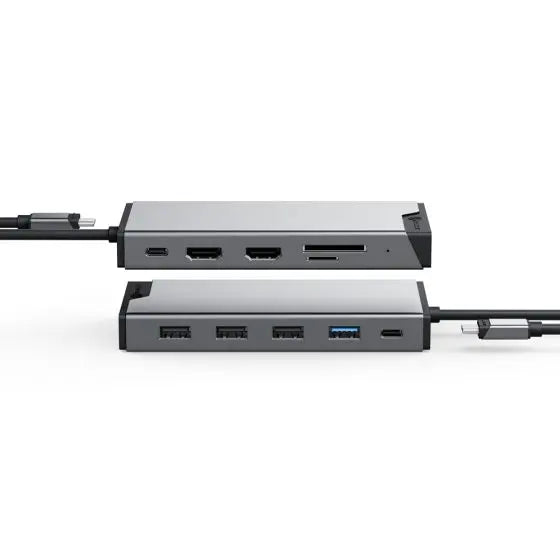
What ports are available on the ALOGIC DV3 12-in-1 Docking Station?
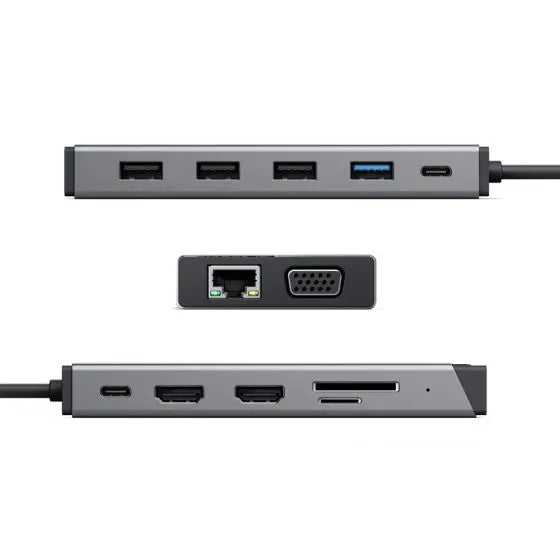
"The ALOGIC DV3 Dock provides 12 essential connections:
Video: 2x HDMI ports and 1x VGA port (1080p @ 60Hz).
Data Transfer: 1x 5Gbps USB-C port and 1x 5Gbps USB-A 3.2 Gen 1 port.
Peripherals: 3x USB-A 2.0 ports (ideal for wireless keyboard and mouse dongles).
Networking & Power: 1x RJ45 Gigabit Ethernet port (1Gbps) and 1x USB-C PD input port (100W max input).
Storage: SD and MicroSD card readers."
Video: 2x HDMI ports and 1x VGA port (1080p @ 60Hz).
Data Transfer: 1x 5Gbps USB-C port and 1x 5Gbps USB-A 3.2 Gen 1 port.
Peripherals: 3x USB-A 2.0 ports (ideal for wireless keyboard and mouse dongles).
Networking & Power: 1x RJ45 Gigabit Ethernet port (1Gbps) and 1x USB-C PD input port (100W max input).
Storage: SD and MicroSD card readers."
Compatibility
My laptop has Thunderbolt 3 or 4 ports - can I use the DV3 dock with my laptop? - DUCDDV3
Thunderbolt 3 and 4 ports uses the same connector as USB-C ports. You can use the DV3 dock on Thunderbolt 3 or 4 ports however you won’t be able to achieve Thunderbolt data speeds.
NOTE: Thunderbolt 2 ports use a different physical connector and hence are incompatible.
NOTE: Thunderbolt 2 ports use a different physical connector and hence are incompatible.